NEW!

Scope X
Scope in. Miss nothing.
Instantly magnify any part of your screen to reveal critical details in any game.
57 subscribers · 1 favorite on the Steam Workshop
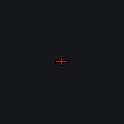
A precision bow calibration crosshair with red reference lines marking distance intervals. Each line represents 10 meters, with left and right offsets for different arrow weights (540 and 700 grain). Built for archers who need exact holdover marks at range. Use it as an overlay in any game via Crosshair X on Steam.
“位置和大小均为初始设置 红色标线为基础校准点 使用60M校准点 每条线都代表10m,左侧为540格令箭,右侧为700格令箭 我懒得再做数字标记了,自己数吧,最近太累了” (石刻划痕, on the Workshop)

Install Crosshair X from Steam, subscribe to this design on its Workshop page (or inside the app), then select it. Crosshair X draws it at the center of your screen over any game.
Crosshair X is an Xbox Game Bar overlay that runs outside the game process: no hooks, no injection, no game-file changes. It has been in use across Vanguard, VAC, EAC and BattlEye titles for years with no ban reports we know of. Full breakdown: Is Crosshair X safe?.
The crosshair itself is included, like everything on the Crosshair X Workshop. Crosshair X is $3.99 on Steam, and the Microsoft Store version has a free trial so you can test it first.
This crosshair was created and shared by a member of the Crosshair X community on the Steam Workshop. The design belongs to its creator; any referenced games, players, teams or trademarks belong to their respective owners. To report a design, use the report tools on its Steam Workshop page.