Kasane Teto Cursor V1
15 subscribers on the Steam Workshop
Get Mouse X on Steam (Free Demo)
$2.99 once · every Workshop skin included · Windows 10 & 11
View this skin on the Steam Workshop →
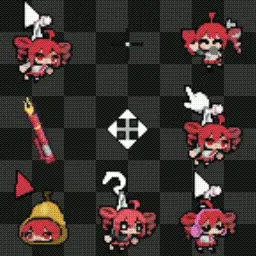
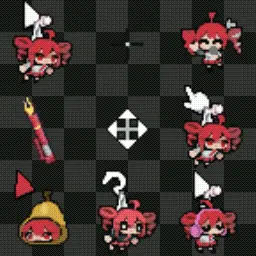
Your pointer turns into a tiny pixel art Kasane Teto, red drill twintails and all, with a short animation loop that keeps her moving while you work. T3nder drew the sprite in a chunky retro style, so she stays readable even at small cursor sizes. The skin runs as a live desktop cursor through Mouse X on Steam ($2.99 once, free to try, every Workshop skin included). Fans of vocal synth characters and cute pixel art will probably grin every time they move the mouse.
“Kasane Teto Cursor V1” (T3nder, on the Workshop)
How to get it
- Install Mouse X from Steam. The free demo works too.
- Subscribe to this skin on its Workshop page, or find “Kasane Teto Cursor V1” in the in-app browser.
- Select it in Mouse X and your Windows cursor changes instantly. No hooks, no injection.
Animated
Skin details
- Creator
- T3nder
- Type
- Animated cursor skin
- Source format
- AVIF
- Published
- Nov 24, 2026
- Last updated
- Nov 24, 2026
- Download size
- 92 KB
- Subscribers
- 15 on the Steam Workshop
- Categories
- Animated cursors, Cute cursors, Anime cursors, Pixel Art cursors
More cursors like this Browse all →

Frequently asked questions
How do I install the Kasane Teto Cursor V1 cursor?
Install Mouse X from Steam, then subscribe to the skin on its Workshop page (or inside the app). Mouse X downloads it and you can apply it with one click. No .cur files, no Control Panel digging.
Does it work on Windows 11?
Yes. Mouse X supports Windows 10 and 11, uses very little memory and CPU, and doesn’t hook or inject into games or other apps, so it runs quietly alongside everything else.
Is this cursor free?
The skin itself is free, like everything on the Mouse X Workshop. Mouse X is $2.99 on Steam, and the free demo lets you try custom cursors before buying.
This cursor skin was created and shared by a member of the Mouse X community on the Steam Workshop. Artwork belongs to its creator; any referenced characters, names or trademarks belong to their respective owners. To report a skin, use the report tools on its Steam Workshop page.

